College Aid Pro
Completion time down 60%. Submission rates up 45%. Support contacts down 80%. The numbers came from fixing one thing: users never knew where they were or what came next.
Role
Sr. UX Designer
Industry
FinTech
Duration
3 months

Project Overview
College Aid Pro helps families navigate one of the most stressful financial decisions they will ever make. School selection, affordability analysis, financial aid forms, scholarship guidance, award comparisons. The platform had everything families needed. The problem was that none of it was organized in a way that made sense to someone doing this for the first time, under pressure, with a deadline.
Business Context + Problem Statement
Financial aid is already hard. The platform made it harder. Families landed on a dashboard that showed everything at once with no indication of where to start, no sense of progress, and no way to know what actually needed to happen next.
The support contact data told the story. Volume was high and most of it was not technical issues. Families were reaching out because they could not figure out what to do next on their own. Students were missing deadlines. Parents were looking at cost numbers without understanding what they meant or what to do with them.
The platform did not have a content problem. It had a structure problem.
Research + Discovery
I ran usability testing sessions and interviews with students and parents at different stages of the financial aid process. I also reviewed support contact data and mapped the existing platform workflows before touching any designs.
One thing came through in almost every session:
Families were not confused about financial aid. They were overwhelmed by the interface. Everything felt equally urgent. Nothing told them what to do first. One student said it felt like they were supposed to already know what they were doing before they even started.
The support data confirmed it. Most contacts were navigation questions, not technical ones. People could not find what they needed or did not know what came next. That is a design problem, not a content problem.
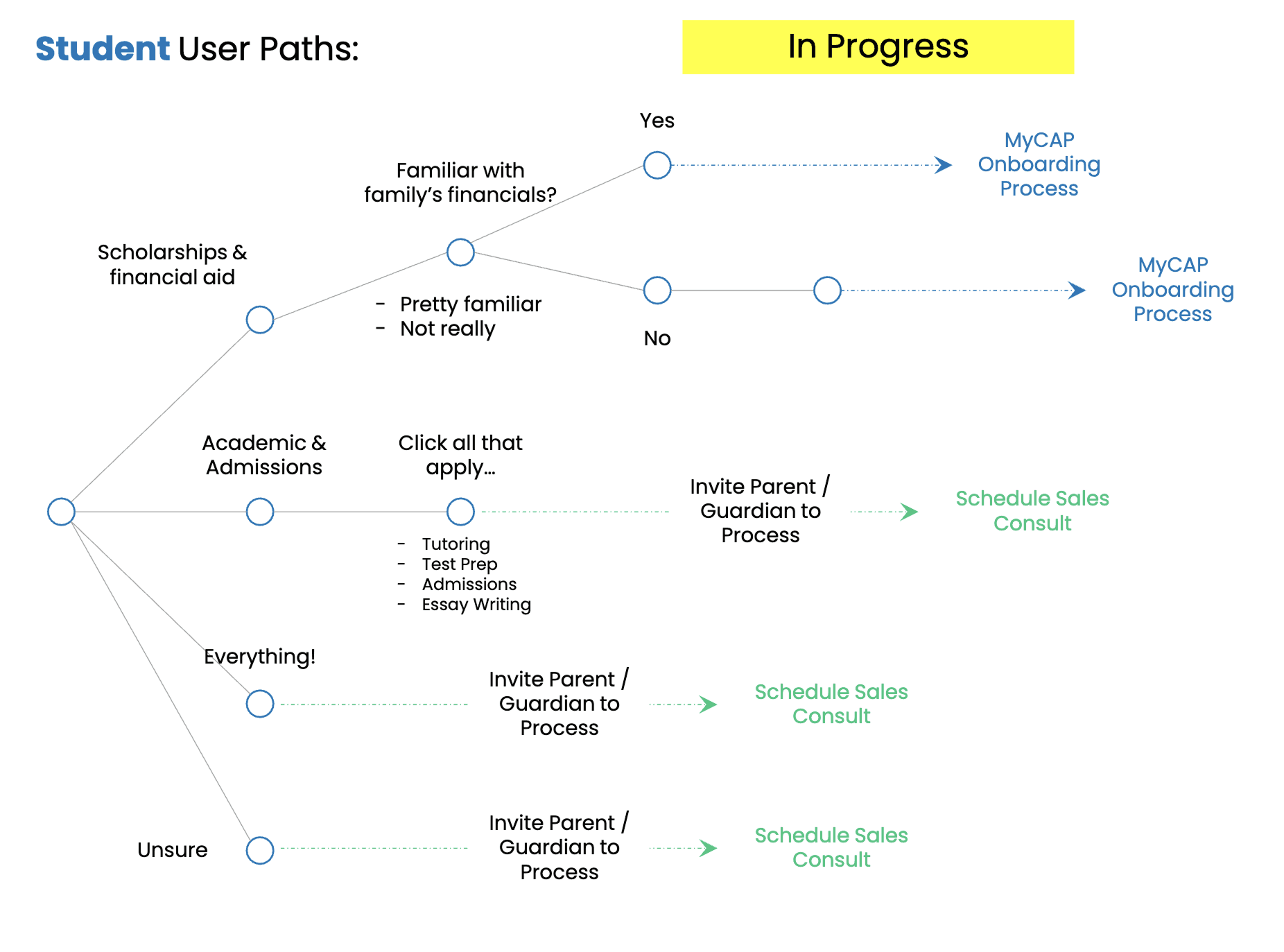
Strategic Opportunity + Design Challenge
Adding more features was not the answer. The platform already had everything. The challenge was making it feel like it was built for someone who had never done this before.
Three things shaped where I focused:
Where do I start. Families had no entry point. Everything was visible and nothing was prioritized. The platform needed to tell people what to do first.
What comes next. Progress was invisible. Families could not tell how far along they were or what was left. That uncertainty was driving the support contacts.
What does this number mean. Affordability data existed but families had to do their own interpretation. Net cost, sticker price, and SAI numbers sat next to each other with no context for what any of it meant for their specific situation.
Design Approach + Research Synthesis
I redesigned the experience around one idea: each screen should carry only what the family needs at that moment. Nothing more.
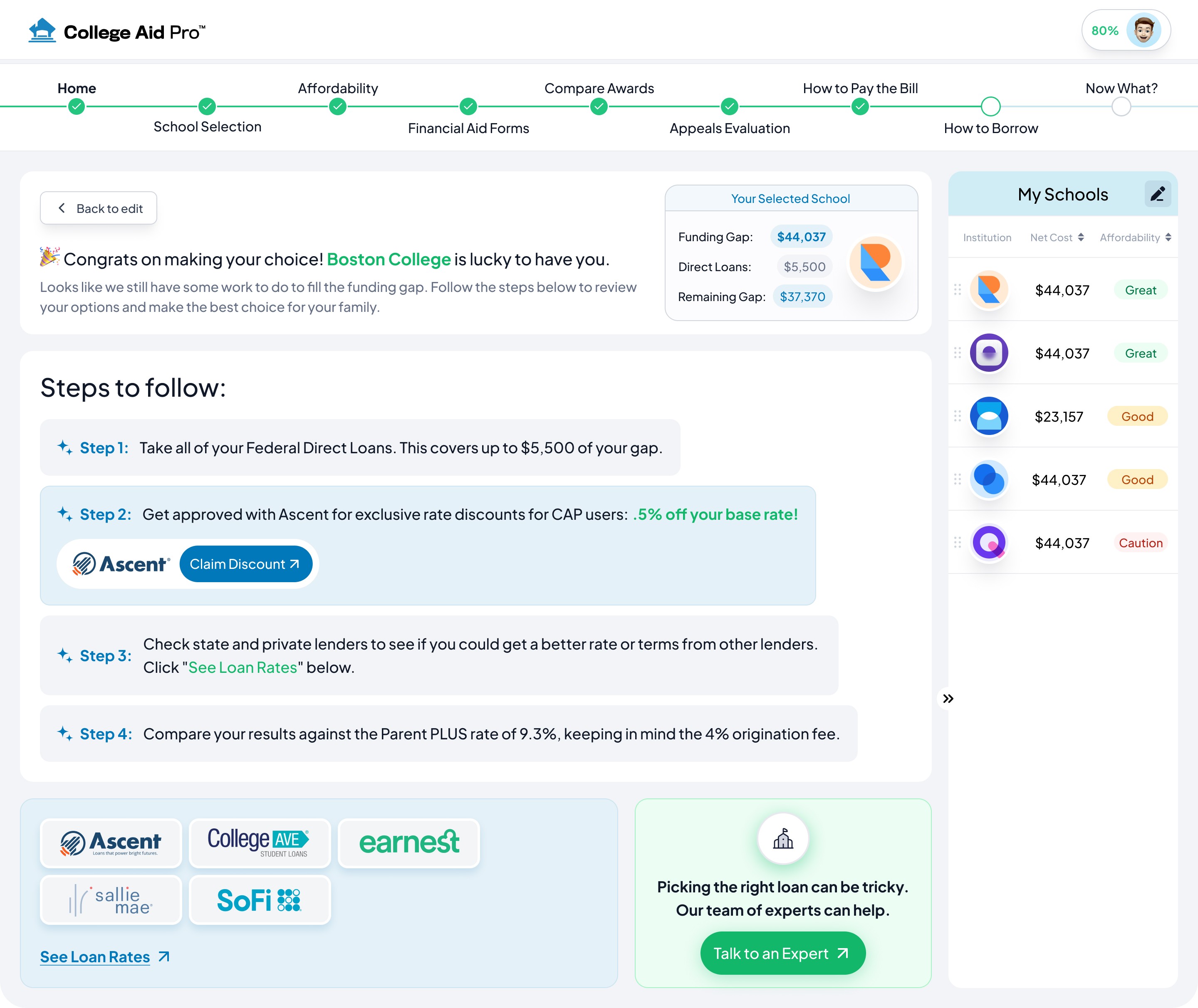
That meant restructuring the entire financial aid journey into nine named steps visible at all times. Families always knew where they were, what was done, and what came next. The dashboard showed the three numbers that mattered most: Federal SAI, Institutional SAI, and annual budget estimate. Below that, one to-do list limited to the immediate next action. Upcoming deadlines. Recent updates. No clutter.
Working closely with product managers, engineers, and financial aid advisors, I delivered wireframes, prototypes, and high-fidelity designs in Figma at each stage. Every decision went back to the same question: does this reduce the number of things a family has to figure out on their own?
Solution + Design Execution
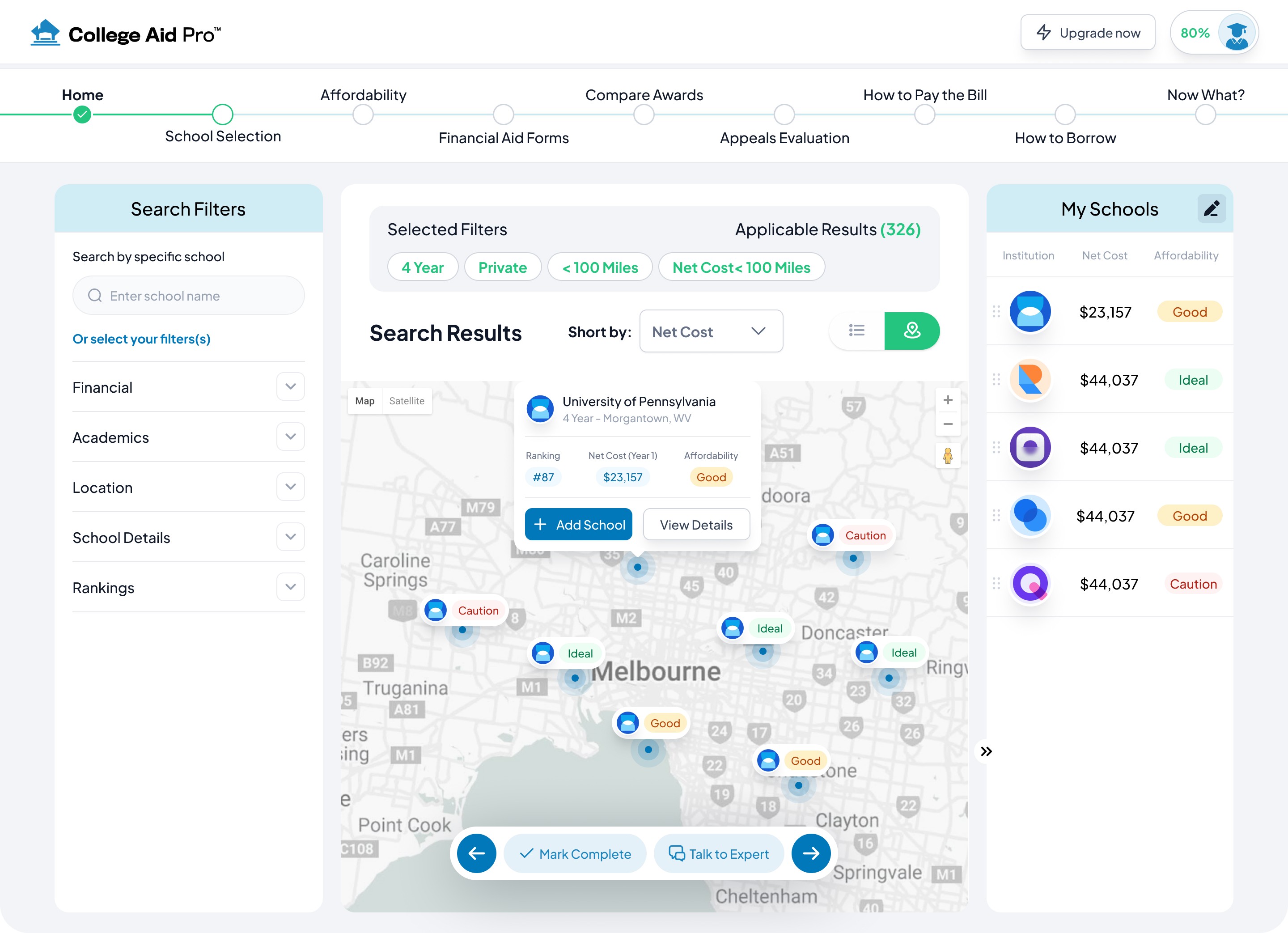
The biggest single design decision was the affordability rating system. Families were looking at net cost numbers, sticker prices, and SAI figures with no framework for what any of it meant for them specifically. Instead of presenting the data and leaving the interpretation to the family, the platform translated each school's cost into a plain language signal: Ideal, Good, or Caution. That one decision removed the need for families to do their own financial math mid-comparison. It sounds obvious in hindsight. It was not obvious to get right.
School selection became a three-panel layout: filters on the left, results in the center, and a persistent My Schools comparison panel on the right. Each result card showed sticker price, net cost, affordability rating, and ranking at a glance. Families could compare without opening multiple tabs or losing their place.
The navigation shifted from feature-oriented to task-oriented. Every section was named after what the family needed to accomplish, not what the system contained. That single change reduced the cognitive load of figuring out where to go next.
Impact + Key Learnings
Support contact volume dropped 60% after launch. Families were finding what they needed and completing steps without asking for help. The redesign did not add a single new feature. It changed how existing information was sequenced and surfaced.
The feedback said it better than the numbers:
"This made the whole process so much less stressful. I knew exactly what I needed to do and when." — Student participant
Three things I take from this engagement.
Financial stress changes how people read interfaces. When someone is anxious they cannot process density. Showing less is not dumbing it down. It is respecting what the user is already carrying into the experience.
Structure is the product. The platform did not need new features. It needed a point of view about what to show, when, and in what order. That is an information architecture decision and it matters as much as any visual design choice.
The best design decisions feel inevitable after the fact. The affordability rating system, translating raw financial data into plain language, seems obvious now. Getting there required understanding what families were actually trying to do with the numbers, not just what the numbers were.
Other projects

Healthcare Benefits Enrollment Platform
14 million people make healthcare decisions on this platform every year. Most were completing enrollment without understanding what they had chosen. Redesigned the entire experience from research through design system to fix that.

Multi-Brand Ecommerce Platform
Designing a scalable ecommerce platform that businesses could use to launch branded online stores without rebuilding the shopping experience from scratch.

Property Management Platform
Designed a role-based SaaS platform serving six user types across two markets. Built complex operational dashboards, data-intensive workflows, and a scalable design system from scratch.
CVS ExtraCare Plus Deals Redesign
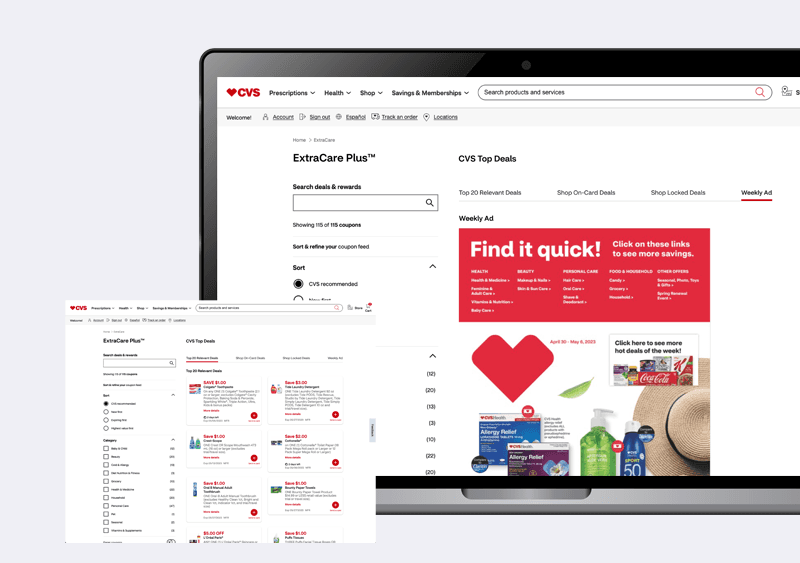
Redesigned the CVS ExtraCare Plus deals experience to make coupon discovery faster, filtering clearer, and the foundation scalable for future growth.